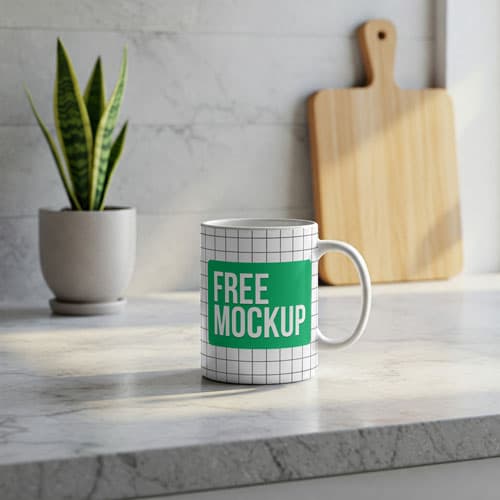
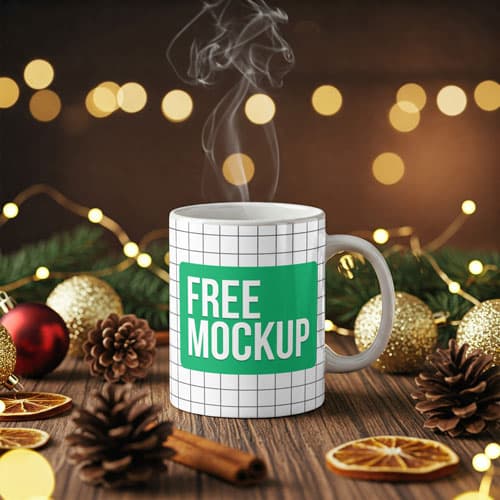
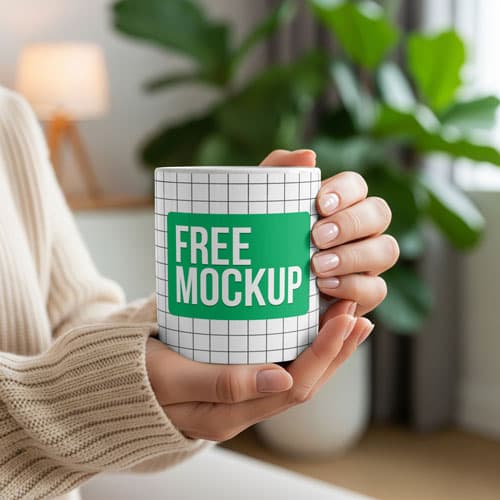
Free Woman Holding Coffee Mug Mockup PSD — Outdoor Lifestyle
What's Inside This PSD File
- Human Model Context — Relatable Lifestyle Setting
- Professional PSD File — Fully Layered & Organized
- Smart Object Enabled — Instant 1-Click Design Swap
- High Resolution — 300 DPI Print & Digital Quality
- Natural Outdoor Light — Bright & Authentic Vibe
Humanize your brand with this premium lifestyle mockup. Featuring a model holding a ceramic mug in a bright outdoor setting, it provides a relatable, authentic canvas for coffee shop branding and custom merchandise.
Add a Human Touch to Your Brand
Static product shots tell your customers what you sell, but lifestyle shots tell them how to feel. This high-resolution PSD template places your mug design in the hands of a real model in an authentic outdoor setting, creating a warm and approachable narrative for your brand. Whether you are showcasing a new cafe logo, a motivational quote, or a vibrant illustration, the natural sunlight and relatable context help your audience connect with your products on a personal level.
How to Use This PSD
We believe in professional results with minimal effort. Open the template in Adobe Photoshop, locate the Smart Object layer, double-click to open, paste your artwork into the new canvas tab, and save. The mockup automatically applies realistic surface curvature, natural highlights, and soft environmental shadows, ensuring your branding looks like a professionally shot lifestyle photograph.
Best Use Cases
Perfect for boutique coffee shop branding, Instagram-ready lifestyle content, Etsy merchandise listings, beverage brand lookbooks, and high-engagement social media advertisements.
How to Use This Mug Mockup
Follow these 4 simple steps to place your design on this mockup in Adobe Photoshop CS6+:
- 1Download the PSD file — Click the Download button above. Save it to your computer.
- 2Open in Adobe Photoshop — Go to File > Open and select the PSD file.
- 3Double-click the Smart Object layer — Look for “Your Design Here” or similar. Double-click its thumbnail.
- 4Paste your design and save — Place your artwork, then press Ctrl+S (Windows) or Cmd+S (Mac). Done!
Don't Have Photoshop? We'll Place Your Design For You — Starting at $5
No Photoshop? No problem. Send us your design and we'll place it into this mockup for you. You get a finished, ready-to-use image — delivered within 24–48 hours.
No Photoshop Needed
Just send us your design file (PNG, JPG, AI, or PDF) and we'll do the rest. You get a polished mockup image back.
Fast Delivery
Most orders are done within a few hours. Need it urgent? Let us know and we'll prioritize yours.
Bulk Orders Welcome
Need 10, 20, or 50 designs placed into the same mockup? We offer discounted rates for bulk orders.
Starting at $5 per design • Bulk pricing available • Delivery in 24–48 hours
Why Use This Mug Mockup?
Here is why designers and brands choose this mockup:
- Natural lifestyle authenticity — The presence of a real model holding the mug adds an immediate layer of trust and relatability that standard studio mockups lack.
- Save on professional photography — Achieve high-end lifestyle product shots without the cost of hiring models, scouting locations, or booking professional photographers.
- Accurate surface mapping — The smart object layer intelligently wraps your artwork along the cylindrical curve of the mug, preserving realistic highlights and lighting.
- Perfect for social media — Candid lifestyle imagery is proven to drive higher engagement on platforms like Instagram and Pinterest compared to flat-lay photography.
- Professional-grade clarity — High-resolution rendering ensures your intricate logos, vibrant illustrations, and fine typography remain razor-sharp on any display.
Frequently Asked Questions
Is this woman holding mug mockup free to download?
Yes! This template is 100% free for use in both your personal design projects and commercial product stores.
What software do I need to edit this?
Because this file uses professional smart object mapping, you will need Adobe Photoshop CS6 or any recent Creative Cloud version.
How do I add my brand logo to the mug?
Open the PSD, double-click the layer marked 'Smart Object,' paste your artwork into the new canvas tab, save, and close.
Can you help with professional graphic placement?
Yes. If you need help with placement or don't have Photoshop access, I offer a professional mockup insertion service starting at $5. Contact me on WhatsApp!
Is this mockup suitable for e-commerce listings?
Absolutely. It’s an ideal tool for creating high-converting, lifestyle-driven product photography that helps your headwear stand out on Shopify, Etsy, or independent websites.
Need a Custom Mockup for Your Own Product?
Send us your product photo and we will convert it into a fully editable PSD mockup with smart object layers — starting at just $15. Delivered in 24–48 hours with unlimited revisions.
Get a Custom Mockup — From $15