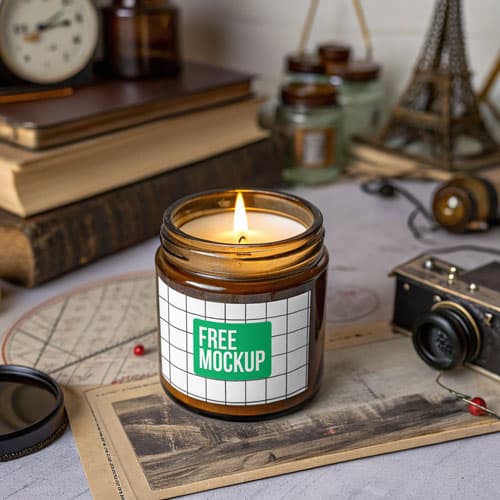
Free Vintage Amber Candle Jar Mockup PSD — Rustic Vibe
What's Inside This PSD File
- Professional PSD File — Fully Layered
- Smart Object Enabled — Instant 1-Click Design Swap
- High Resolution — Sharp 300 DPI Print & Web Quality
- Golden Hour Lighting — Warm, Inviting Atmosphere
- Rustic Setting — Authentically Vintage Decor Context
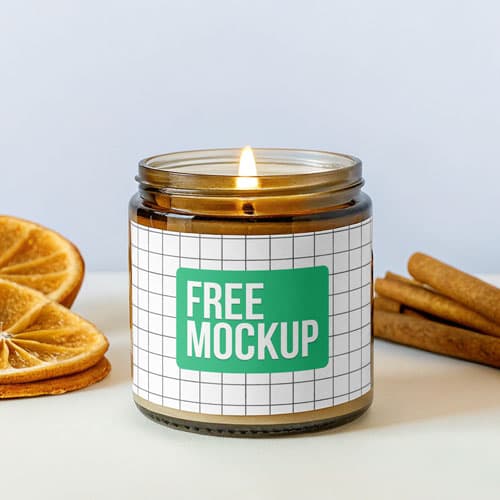
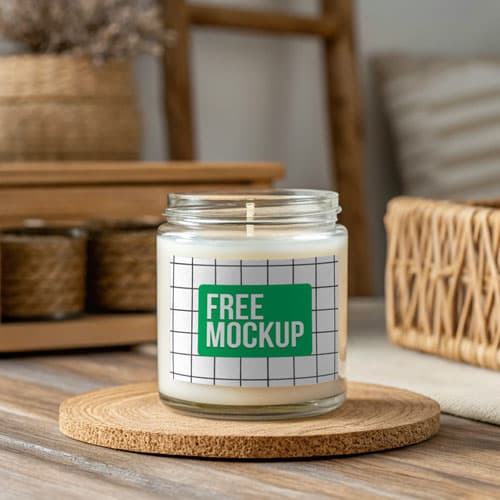
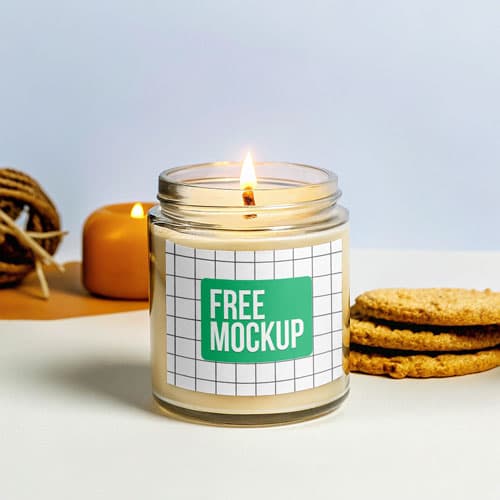
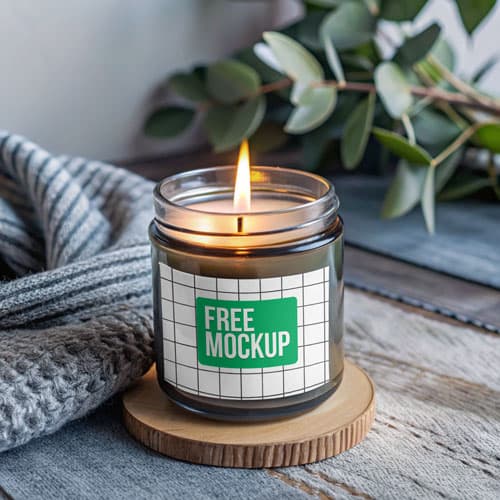
Elevate your artisan brand with this premium vintage amber candle jar mockup. Featuring a warm, rustic aesthetic, this PSD template is the perfect tool for indie candle makers and boutique home decor brands to showcase label designs with professional, golden-hour elegance.
Bring Your Artisan Brand to Life
The provided PSD template is engineered for professional results. It features a highly accurate smart object layer that automatically wraps your flat label design around the cylindrical amber glass, maintaining realistic perspective and curvature. With its rich, warm lighting and authentic rustic backdrop, this mockup ensures your product stands out in the crowded candle market.
How to Use This PSD
Getting started is simple. Open the file in Photoshop, double-click the highlighted 'Smart Object' layer, place your label artwork, save, and watch your design wrap perfectly onto the jar. The layers are well-organized, allowing you to tweak lighting and shadows if needed for your specific brand aesthetic.
Best Use Cases
Perfect for indie candle artisans, boutique perfume labels, Etsy product listings, and high-end home decor portfolios. This is the ultimate tool for turning a simple graphic file into a high-converting product image.
How to Use This Candle Jars
Follow these 4 simple steps to place your design on this mockup in Adobe Photoshop CS6+:
- 1Download the PSD file — Click the Download button above. Save it to your computer.
- 2Open in Adobe Photoshop — Go to File > Open and select the PSD file.
- 3Double-click the Smart Object layer — Look for “Your Design Here” or similar. Double-click its thumbnail.
- 4Paste your design and save — Place your artwork, then press Ctrl+S (Windows) or Cmd+S (Mac). Done!
Don't Have Photoshop? We'll Place Your Design For You — Starting at $5
No Photoshop? No problem. Send us your design and we'll place it into this mockup for you. You get a finished, ready-to-use image — delivered within 24–48 hours.
No Photoshop Needed
Just send us your design file (PNG, JPG, AI, or PDF) and we'll do the rest. You get a polished mockup image back.
Fast Delivery
Most orders are done within a few hours. Need it urgent? Let us know and we'll prioritize yours.
Bulk Orders Welcome
Need 10, 20, or 50 designs placed into the same mockup? We offer discounted rates for bulk orders.
Starting at $5 per design • Bulk pricing available • Delivery in 24–48 hours
Why Use This Candle Jars?
Here is why designers and brands choose this mockup:
- Rustic visual storytelling — The rich amber glass and cozy vintage setting instantly communicate 'artisanal quality' to potential customers.
- Etsy & Shopify optimized — Replace standard white-background photos with a lifestyle-oriented mockup to increase click-through rates and build brand trust.
- Automated cylindrical warping — No need to manually distort your labels; the smart object pre-sets ensure your design wraps seamlessly around the glass curve.
- Cinematic lighting — The carefully calibrated golden-hour highlights emphasize the texture of the jar and add a premium glow to your custom labels.
- Unmatched clarity — High-resolution details mean your fine typography and complex brand badges remain sharp and legible at any zoom level.
Frequently Asked Questions
Is this vintage amber candle jar mockup free to use?
Yes! This mockup is 100% free for both your personal portfolio and commercial store listings.
What software program is required?
Since this is a professional PSD template with smart objects, you will need Adobe Photoshop CS6 or any recent Creative Cloud version.
How do I add my custom label design?
Simply open the PSD, locate the 'Smart Object' layer, double-click the thumbnail, paste your artwork, save, and close. Your design will wrap automatically.
Does my design wrap realistically?
Yes. The smart object layer is specifically pre-configured to follow the 3D curve of the amber glass jar, giving it a photo-realistic finish.
Is this mockup ideal for online stores?
Absolutely. It is a highly recommended tool for generating high-end product photography for Shopify, Etsy, or independent lifestyle boutiques.
Need a Custom Mockup for Your Own Product?
Send us your product photo and we will convert it into a fully editable PSD mockup with smart object layers — starting at just $15. Delivered in 24–48 hours with unlimited revisions.
Get a Custom Mockup — From $15