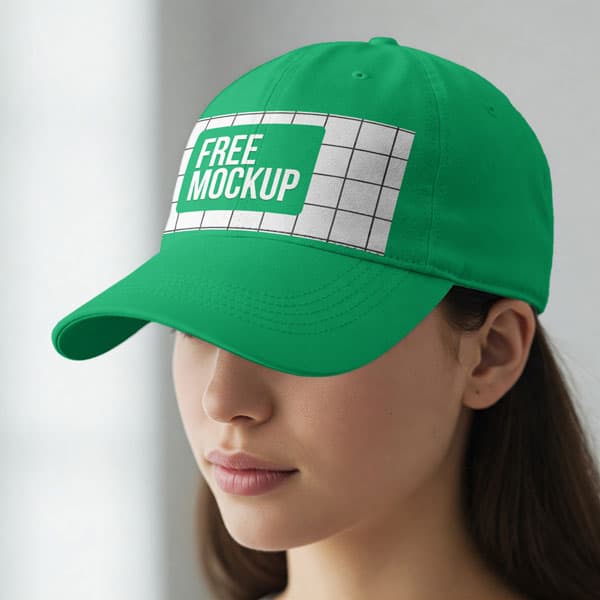
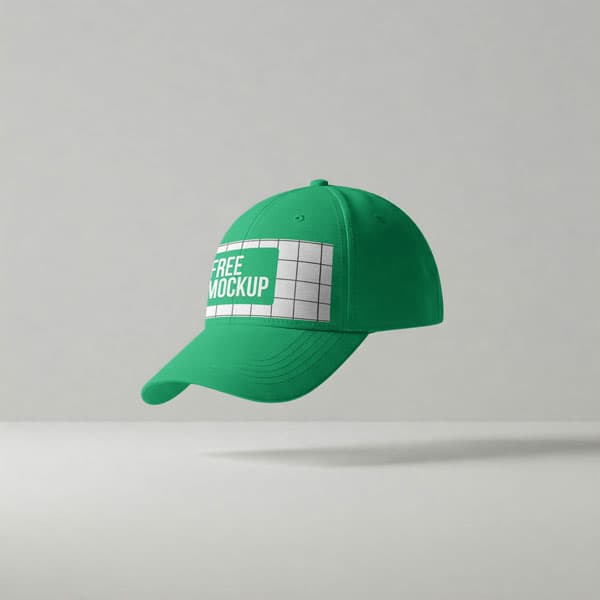
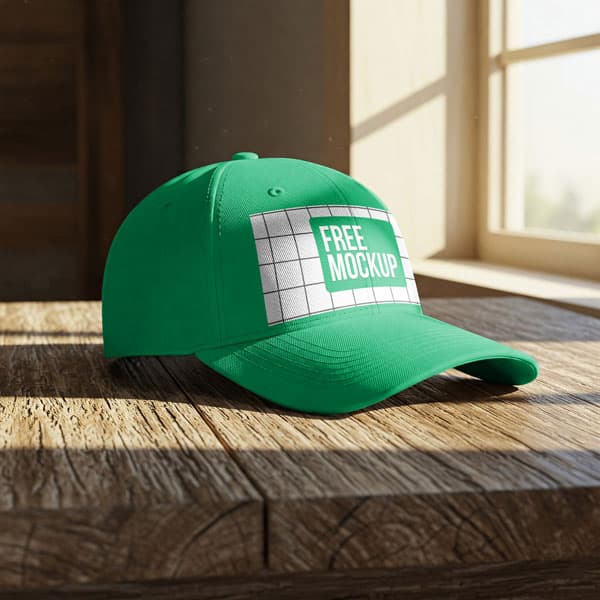
Free White Cap Mockup PSD In Sunlight By Window — Aesthetic Setup
What's Inside This PSD File
- Natural Sunlight — Warm & Aesthetic Window Lighting
- Professional PSD File — Fully Layered & Organized
- Smart Object Enabled — Instant 1-Click Design Swap
- High Resolution — 300 DPI Print & Digital Quality
- Photorealistic Output — Authentic Shadows & Highlights
Elevate your brand with soft, natural light. This free white cap mockup features an aesthetic window-side setting, providing a warm and premium lifestyle backdrop for your logos, embroidery designs, and streetwear branding.
Bring Your Branding to Life with Natural Light
Visual storytelling is about more than just a product; it’s about the environment. This high-resolution PSD template places your headwear designs in a beautiful, sun-drenched setting by a window, creating a warm and aspirational feel that resonates with modern consumers. Whether you are showcasing a high-end streetwear logo or a delicate 3D embroidery design, the soft shadows and natural highlights of this scene add a layer of professional polish and authenticity that standard studio shots simply cannot replicate.
How to Use This PSD
Designed for professional creative workflows: open the file in Adobe Photoshop, locate the Smart Object layer on the front panel, double-click to open, paste your artwork, and save. The mockup automatically applies the cap's natural curvature, fabric texture, and window-light shadows, ensuring a photorealistic result in seconds.
Best Use Cases
Perfect for boutique streetwear lookbooks, Instagram-ready fashion content, sports team merchandise showcases, custom embroidery portfolios, and high-converting e-commerce listings.
How to Use This Cap Mockups
Follow these 4 simple steps to place your design on this mockup in Adobe Photoshop CS6+:
- 1Download the PSD file — Click the Download button above. Save it to your computer.
- 2Open in Adobe Photoshop — Go to File > Open and select the PSD file.
- 3Double-click the Smart Object layer — Look for “Your Design Here” or similar. Double-click its thumbnail.
- 4Paste your design and save — Place your artwork, then press Ctrl+S (Windows) or Cmd+S (Mac). Done!
Don't Have Photoshop? We'll Place Your Design For You — Starting at $5
No Photoshop? No problem. Send us your design and we'll place it into this mockup for you. You get a finished, ready-to-use image — delivered within 24–48 hours.
No Photoshop Needed
Just send us your design file (PNG, JPG, AI, or PDF) and we'll do the rest. You get a polished mockup image back.
Fast Delivery
Most orders are done within a few hours. Need it urgent? Let us know and we'll prioritize yours.
Bulk Orders Welcome
Need 10, 20, or 50 designs placed into the same mockup? We offer discounted rates for bulk orders.
Starting at $5 per design • Bulk pricing available • Delivery in 24–48 hours
Why Use This Cap Mockups?
Here is why designers and brands choose this mockup:
- Aesthetic lifestyle appeal — The soft window sunlight adds an instant layer of premium quality, making your brand feel cozy, authentic, and aspirational to your customers.
- Ideal for embroidery proofing — The high-resolution fabric detail and natural lighting are perfect for demonstrating how thick, 3D embroidery will look in the real world.
- Professional brand pitches — Move beyond flat, lifeless studio mockups and present your sports or streetwear designs in an environment that feels 'lived-in' and real.
- Accurate 3D wrapping — The precision-mapped smart object securely bends your artwork to match the physical curve of the cap's panel for 100% realism.
- Boost social engagement — Aesthetic, lifestyle-oriented product photos are proven to drive higher likes, shares, and saves on visual platforms like Instagram and Pinterest.
Frequently Asked Questions
Is this sunlight cap mockup free to download?
Yes! This template is 100% free for use in both your personal design projects and professional commercial headwear stores.
What software do I need to edit this?
Because this PSD utilizes smart object layers for professional warping, you will need Adobe Photoshop CS6 or any newer Creative Cloud version.
How do I insert my own cap design?
Simply open the PSD, double-click the layer marked 'Smart Object,' paste your logo or graphic in the new tab, save, and close.
What is the resolution of this mockup?
This file is provided in high resolution (300 DPI), ensuring your brand logos, fine typography, and fabric details remain razor-sharp on all screens.
Can I use this image for my Shopify or Etsy store?
Absolutely. It’s an essential tool for creating high-converting lifestyle product photography that helps your headwear stand out in a competitive marketplace.
Need a Custom Mockup for Your Own Product?
Send us your product photo and we will convert it into a fully editable PSD mockup with smart object layers — starting at just $15. Delivered in 24–48 hours with unlimited revisions.
Get a Custom Mockup — From $15