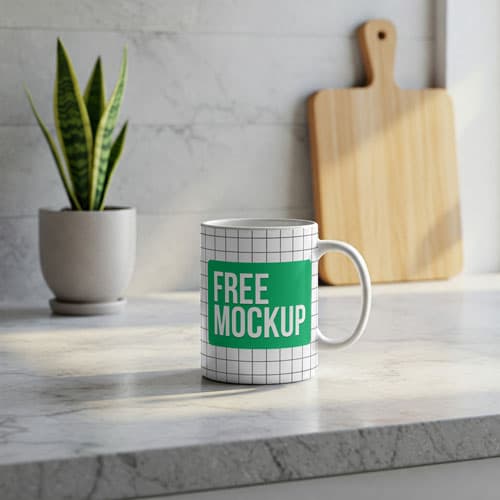
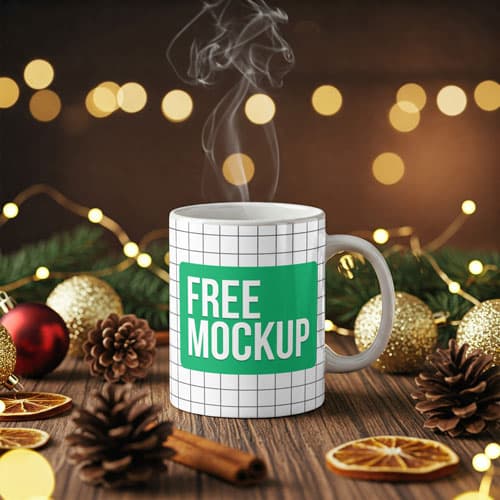
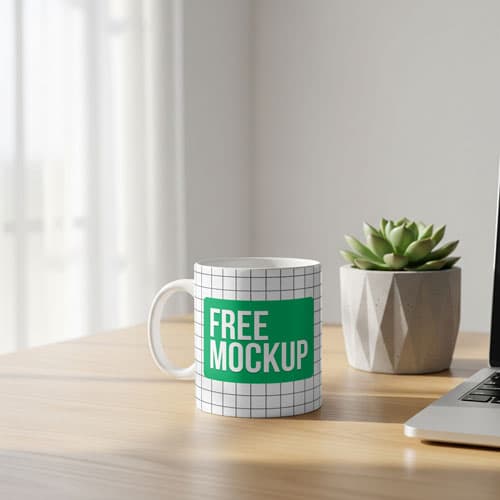
Free Photorealistic Mug Mockup PSD On Wooden Desk
What's Inside This PSD File
- Wooden Desk Surface — Natural, Grounded Aesthetic
- Professional PSD File — Fully Organized Layers
- Smart Object Enabled — Instant 1-Click Design Swap
- High Resolution — 300 DPI Print & Digital Quality
- Photorealistic Output — Authentic Highlights & Shadows
Bring a touch of authenticity to your branding. This free photorealistic mug mockup features a high-quality ceramic mug resting on a natural wooden desk, providing a grounded, organic environment for your merchandise designs.
Grounded Realism for Your Brand
Authenticity is the new premium. This high-resolution PSD template is designed to present your merchandise designs in an environment that feels real, tactile, and relatable. The textured wooden desk background and soft ambient light create a grounded, authentic feel that is perfect for artisan brands, indie designers, and anyone looking to connect with their audience on a personal level. Our precision-mapped Smart Object layer ensures your designs wrap around the mug with perfect, photorealistic accuracy.
How to Use This PSD
Seamlessly integrate your designs: open the file in Adobe Photoshop, locate the Smart Object layer, double-click to open, place your artwork or logo into the canvas, and save. The mockup automatically calculates the lighting, shadows, and curvature, giving you a high-end product photo in seconds.
Best Use Cases
Perfect for artisan coffee shop branding, independent merchandise design, personal portfolio showcases, e-commerce product listings, and social media brand storytelling.
How to Use This Mug Mockup
Follow these 4 simple steps to place your design on this mockup in Adobe Photoshop CS6+:
- 1Download the PSD file — Click the Download button above. Save it to your computer.
- 2Open in Adobe Photoshop — Go to File > Open and select the PSD file.
- 3Double-click the Smart Object layer — Look for “Your Design Here” or similar. Double-click its thumbnail.
- 4Paste your design and save — Place your artwork, then press Ctrl+S (Windows) or Cmd+S (Mac). Done!
Don't Have Photoshop? We'll Place Your Design For You — Starting at $5
No Photoshop? No problem. Send us your design and we'll place it into this mockup for you. You get a finished, ready-to-use image — delivered within 24–48 hours.
No Photoshop Needed
Just send us your design file (PNG, JPG, AI, or PDF) and we'll do the rest. You get a polished mockup image back.
Fast Delivery
Most orders are done within a few hours. Need it urgent? Let us know and we'll prioritize yours.
Bulk Orders Welcome
Need 10, 20, or 50 designs placed into the same mockup? We offer discounted rates for bulk orders.
Starting at $5 per design • Bulk pricing available • Delivery in 24–48 hours
Why Use This Mug Mockup?
Here is why designers and brands choose this mockup:
- Grounded, authentic context — The natural wooden desk provides an everyday setting that makes your branded merchandise feel tangible, real, and accessible.
- Perfect for artisan brands — The rustic, organic aesthetic is specifically designed to align with premium coffee roasters, independent creators, and artisan cafes.
- Effortless photorealism — The smart object securely handles all the complex cylindrical warping and lighting automatically, saving you hours of editing.
- Boost your e-commerce sales — Replace expensive, time-consuming product photography with a high-end, lifestyle-oriented mockup for your shop listings.
- Unmatched clarity — The high-resolution output guarantees that your intricate logo details and small typography remain crisp and clear on any display.
Frequently Asked Questions
Is this photorealistic mug mockup free?
Yes! This template is 100% free for use in both your personal design projects and professional commercial merchandise stores.
What software is needed to edit this?
Because this file uses professional smart object mapping, you will need Adobe Photoshop CS6 or any recent Creative Cloud version.
How do I add my custom branding?
Open the PSD, find the 'Smart Object' layer, double-click to open, paste your artwork in the new canvas, save, and close.
Can you help with professional branding placement?
Yes. If you need help with placement or don't have Photoshop access, I offer a professional mockup insertion service starting at $5. Contact me on WhatsApp!
Is this mockup ideal for Etsy or Shopify listings?
Absolutely. Its authentic, high-quality aesthetic is perfect for creating product photos that build trust and drive sales in a competitive online marketplace.
Need a Custom Mockup for Your Own Product?
Send us your product photo and we will convert it into a fully editable PSD mockup with smart object layers — starting at just $15. Delivered in 24–48 hours with unlimited revisions.
Get a Custom Mockup — From $15