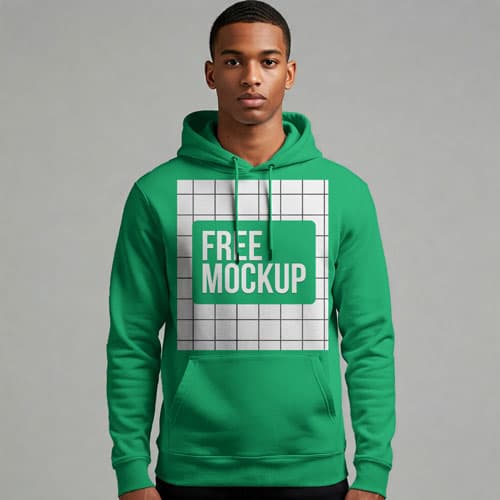
Photorealistic Hoodie Free Mockup PSD — Authentic Presentation
What's Inside This PSD File
- Photorealistic Detail — Hyper-Authentic Presentation
- Professional PSD File — Fully Layered & Organized
- Smart Object Enabled — Instant 1-Click Design Swap
- High Resolution — 300 DPI Print & Digital Quality
- Authentic Fabric Texture — Realistic Folds & Creases
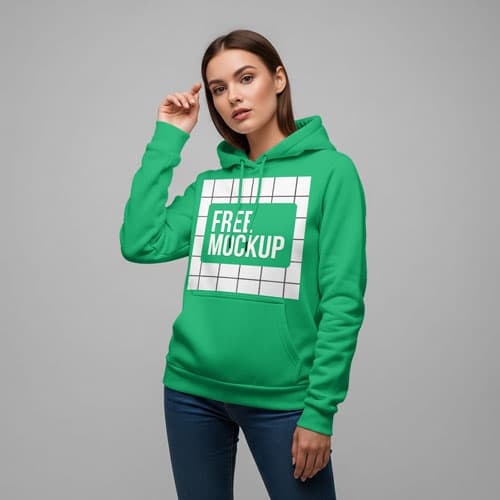
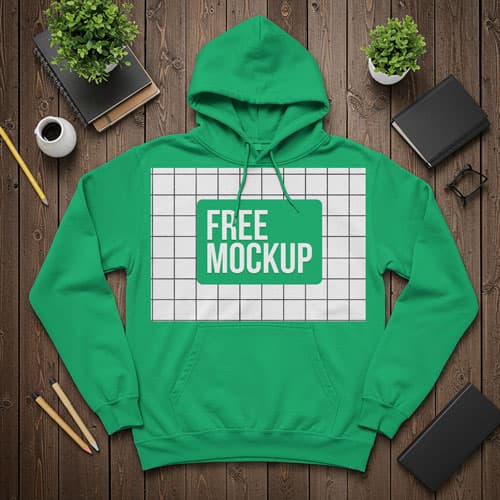
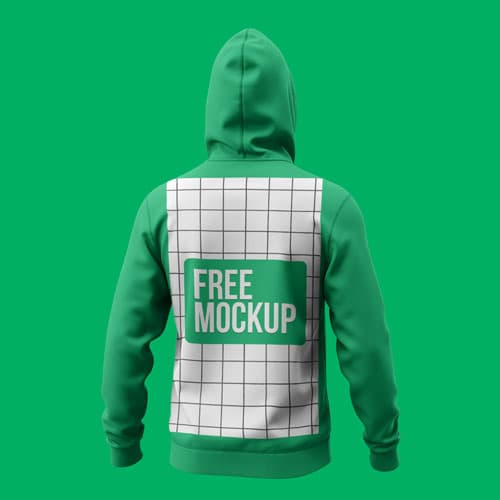
Achieve true-to-life results with this hyper-realistic hoodie mockup. Featuring unparalleled fabric detail and natural lighting, this PSD is the ultimate tool for premium apparel brands needing a professional, authentic presentation.
Hyper-Realistic Presentation for Premium Apparel
In the world of premium fashion, detail is everything. This high-resolution PSD template is engineered with advanced displacement mapping to provide a level of realism that standard mockups can't match. Every stitch, fabric grain, and natural fold is captured, making your designs look less like a concept and more like a finished, high-quality garment. It’s the perfect asset for brands where authenticity is non-negotiable.
How to Use This PSD
Designed for professional-grade results: open the template in Adobe Photoshop, locate the Smart Object layer, double-click to open, paste your custom artwork into the canvas, and save. The mockup automatically applies realistic fabric displacement, texture, and lighting, ensuring your logo or graphic integrates perfectly with the garment.
Best Use Cases
Perfect for premium streetwear lookbooks, high-end apparel brand portfolios, client design proofing, detailed merchandise showcases, and e-commerce product photography.
How to Use This Hoodie Mockups
Follow these 4 simple steps to place your design on this mockup in Adobe Photoshop CS6+:
- 1Download the PSD file — Click the Download button above. Save it to your computer.
- 2Open in Adobe Photoshop — Go to File > Open and select the PSD file.
- 3Double-click the Smart Object layer — Look for “Your Design Here” or similar. Double-click its thumbnail.
- 4Paste your design and save — Place your artwork, then press Ctrl+S (Windows) or Cmd+S (Mac). Done!
Don't Have Photoshop? We'll Place Your Design For You — Starting at $5
No Photoshop? No problem. Send us your design and we'll place it into this mockup for you. You get a finished, ready-to-use image — delivered within 24–48 hours.
No Photoshop Needed
Just send us your design file (PNG, JPG, AI, or PDF) and we'll do the rest. You get a polished mockup image back.
Fast Delivery
Most orders are done within a few hours. Need it urgent? Let us know and we'll prioritize yours.
Bulk Orders Welcome
Need 10, 20, or 50 designs placed into the same mockup? We offer discounted rates for bulk orders.
Starting at $5 per design • Bulk pricing available • Delivery in 24–48 hours
Why Use This Hoodie Mockups?
Here is why designers and brands choose this mockup:
- Hyper-realistic visual appeal — The incredible true-to-life details build immediate customer trust and signal that your brand is synonymous with quality.
- Perfect for client proofing — Give your clients a precise, authentic preview of the final printed garment, helping to streamline approvals and manage expectations.
- Advanced 3D displacement — The smart object securely handles all fabric distortion, wrapping your flat graphic across the garment's natural shape with unmatched realism.
- Elevates premium fashion — The highly credible presentation ensures your designs connect with quality-conscious buyers who appreciate fine detail and craftsmanship.
- Unmatched clarity — High-resolution rendering ensures your intricate logos, fabric textures, and bold typography are perfectly sharp and clear.
Frequently Asked Questions
Is this photorealistic hoodie mockup free?
Yes! This template is 100% free for use in both your personal design projects and professional commercial apparel stores.
What software do I need to edit this?
Because this file uses advanced smart object displacement mapping, you will need Adobe Photoshop CS6 or any recent Creative Cloud version.
How do I add my custom graphic?
Open the PSD, find the 'Smart Object' layer, double-click to open, paste your artwork in the new canvas, save, and close.
Can you help with professional graphic placement?
Yes. If you need help with placement or don't have Photoshop access, I offer a professional mockup insertion service starting at $5. Contact me on WhatsApp!
Is this mockup ideal for high-end clothing brands?
Absolutely. Its focus on hyper-realism makes it the perfect choice for premium streetwear and designer apparel where quality is the main selling point.
Need a Custom Mockup for Your Own Product?
Send us your product photo and we will convert it into a fully editable PSD mockup with smart object layers — starting at just $15. Delivered in 24–48 hours with unlimited revisions.
Get a Custom Mockup — From $15