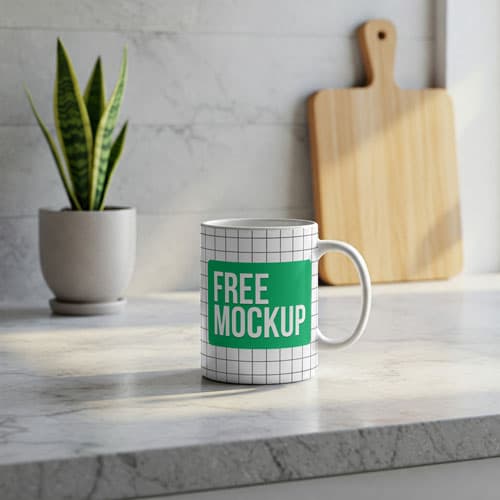
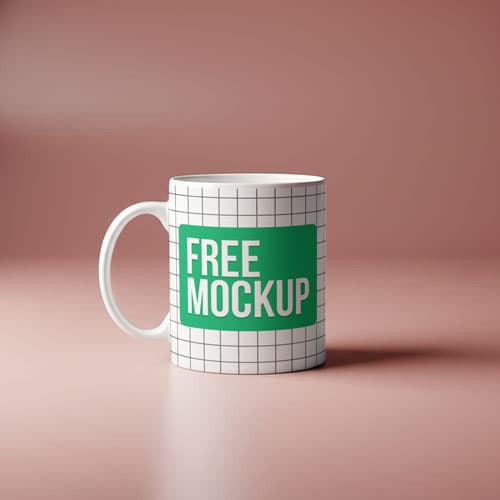
Free Minimalist Mug Mockup PSD With Shadow — Clean Aesthetic
What's Inside This PSD File
- Professional PSD File — Fully Organized Layers
- Smart Object Enabled — Instant 1-Click Design Swap
- High Resolution — 300 DPI Print & Digital Quality
- Sharp Shadows — Clean, Modern Aesthetic
- Minimalist Studio Setting — Maximum Brand Focus
Present your designs with absolute clarity. This free minimalist mug mockup features a clean, professional ceramic display accentuated by sharp, aesthetic shadows. Perfect for logo design, typography showcases, and modern branding portfolios.
Focus on Your Design
Sometimes, your design is strong enough to stand on its own. This high-resolution PSD template is stripped of all background noise, offering a pristine, distraction-free environment that puts your typography, logo, or illustration at the forefront. With its sharp, calculated shadows and minimalist ceramic base, it provides the clean aesthetic that modern design agencies and boutique cafes demand for their branding projects.
How to Use This PSD
Precision made simple. Open the file in Photoshop, locate the Smart Object layer, double-click to open, place your artwork, and save. The mockup uses high-end displacement mapping to ensure your design warps naturally around the mug’s 3D surface, preserving your creative intent with absolute accuracy.
Best Use Cases
Perfect for modern logo design portfolios, cafe brand identity presentations, typography design showcases, independent apparel merch, and high-end graphic design showcases.
How to Use This Mug Mockup
Follow these 4 simple steps to place your design on this mockup in Adobe Photoshop CS6+:
- 1Download the PSD file — Click the Download button above. Save it to your computer.
- 2Open in Adobe Photoshop — Go to File > Open and select the PSD file.
- 3Double-click the Smart Object layer — Look for “Your Design Here” or similar. Double-click its thumbnail.
- 4Paste your design and save — Place your artwork, then press Ctrl+S (Windows) or Cmd+S (Mac). Done!
Don't Have Photoshop? We'll Place Your Design For You — Starting at $5
No Photoshop? No problem. Send us your design and we'll place it into this mockup for you. You get a finished, ready-to-use image — delivered within 24–48 hours.
No Photoshop Needed
Just send us your design file (PNG, JPG, AI, or PDF) and we'll do the rest. You get a polished mockup image back.
Fast Delivery
Most orders are done within a few hours. Need it urgent? Let us know and we'll prioritize yours.
Bulk Orders Welcome
Need 10, 20, or 50 designs placed into the same mockup? We offer discounted rates for bulk orders.
Starting at $5 per design • Bulk pricing available • Delivery in 24–48 hours
Why Use This Mug Mockup?
Here is why designers and brands choose this mockup:
- Modern, design-centric focus — The sharp shadow and minimalist layout immediately signal a professional, detail-oriented design aesthetic.
- Zero background distractions — Remove the clutter and let your clients focus entirely on your typography, logo, or artwork.
- Effortless design application — The smart object securely handles all cylindrical warping and shading automatically, saving you hours of manual editing.
- Portfolio-ready aesthetic — Instantly elevate your Behance, Dribbble, or professional website portfolio with a clean, high-end presentation.
- Unmatched print clarity — High-resolution rendering guarantees your delicate lines and small text stay crisp, even when viewed up close.
Frequently Asked Questions
Is this minimalist mug mockup free?
Yes! This template is 100% free for use in your personal design portfolios and professional commercial branding pitches.
What software is needed to edit this?
Because this file uses professional smart object mapping, you will need Adobe Photoshop CS6 or any recent Creative Cloud version.
How do I insert my branding into the mug?
Open the PSD in Photoshop, double-click the Smart Object layer, paste your design in the new canvas tab, and save.
Can you help with branding placement?
Yes. If you need help with placement or don't have Photoshop access, I offer a professional mockup insertion service starting at $5. Contact me on WhatsApp!
Is this mockup good for both dark and bright logos?
Absolutely. Because the mug serves as a pure white canvas, it flawlessly highlights bright colors, dark illustrations, and greyscale logos alike.
Need a Custom Mockup for Your Own Product?
Send us your product photo and we will convert it into a fully editable PSD mockup with smart object layers — starting at just $15. Delivered in 24–48 hours with unlimited revisions.
Get a Custom Mockup — From $15