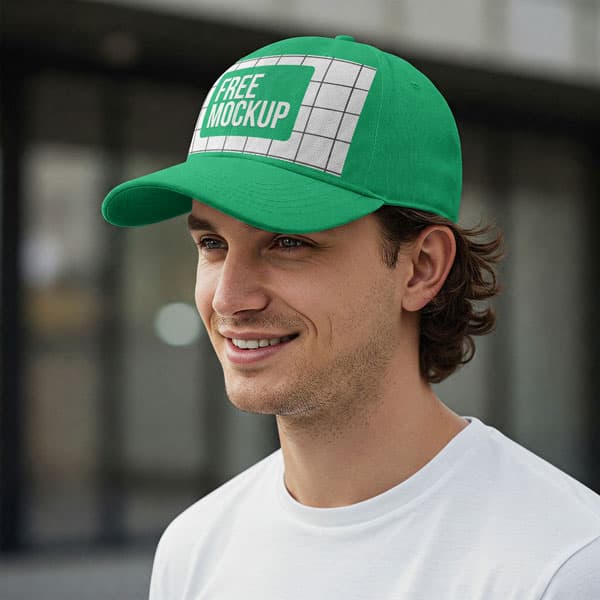
Free Man In Cap Mockup PSD
What's Inside This PSD File
- Human Model Context — Authentic Streetwear Presentation
- Professional PSD File — Fully Organized Layers
- Smart Object Enabled — Instant 1-Click Design Swap
- High Resolution — 300 DPI Print & Digital Quality
- Streetwear Aesthetic — Fashion-Forward Appeal
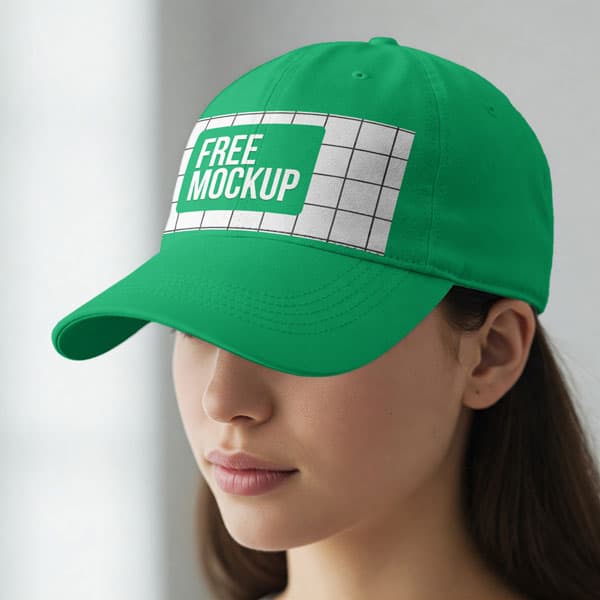
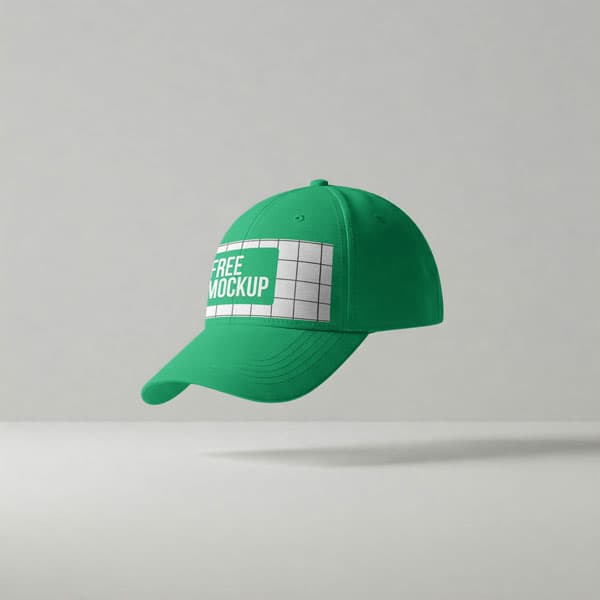
Showcase your headwear designs with professional realism. This free man-in-cap mockup features a trendy lifestyle model, providing an engaging, authentic presentation for streetwear brands, sports merchandise, and modern fashion labels.
Humanize Your Fashion Brand
Static product shots are essential, but lifestyle imagery sells the brand. By placing your cap designs on a realistic human model, you bridge the gap between a simple design file and a must-have fashion accessory. This high-resolution PSD template is specifically crafted to add an aspirational, street-ready feel to your headwear collection, helping your audience visualize themselves wearing your brand.
How to Use This PSD
We've designed this mockup for maximum impact and minimum effort. Simply open the template in Adobe Photoshop, locate the Smart Object layer, double-click to open, paste your custom logo or embroidery design, and save. The mockup automatically wraps your artwork around the cap's panels, accounting for natural fabric texture, lighting, and shadow depth.
Best Use Cases
Perfect for streetwear drops, sports team merchandise, fashion lifestyle lookbooks, custom embroidery showcases, and e-commerce product listings.
How to Use This Cap Mockups
Follow these 4 simple steps to place your design on this mockup in Adobe Photoshop CS6+:
- 1Download the PSD file — Click the Download button above. Save it to your computer.
- 2Open in Adobe Photoshop — Go to File > Open and select the PSD file.
- 3Double-click the Smart Object layer — Look for “Your Design Here” or similar. Double-click its thumbnail.
- 4Paste your design and save — Place your artwork, then press Ctrl+S (Windows) or Cmd+S (Mac). Done!
Don't Have Photoshop? We'll Place Your Design For You — Starting at $5
No Photoshop? No problem. Send us your design and we'll place it into this mockup for you. You get a finished, ready-to-use image — delivered within 24–48 hours.
No Photoshop Needed
Just send us your design file (PNG, JPG, AI, or PDF) and we'll do the rest. You get a polished mockup image back.
Fast Delivery
Most orders are done within a few hours. Need it urgent? Let us know and we'll prioritize yours.
Bulk Orders Welcome
Need 10, 20, or 50 designs placed into the same mockup? We offer discounted rates for bulk orders.
Starting at $5 per design • Bulk pricing available • Delivery in 24–48 hours
Why Use This Cap Mockups?
Here is why designers and brands choose this mockup:
- Demonstrate real-world fit — A cap worn on a human model provides buyers with an immediate sense of scale and proportion that flat images cannot match.
- Add an aspirational human element — The lifestyle presentation makes your headwear feel more engaging, approachable, and trustworthy for streetwear consumers.
- Save on professional photography — Skip the expensive and time-consuming process of hiring models and booking studio space; get high-end commercial results in seconds.
- Accurate fabric depth — The PSD file realistically maps your artwork over the cap's curved panels and beneath the bill's shadow, rendering authentic texture.
- Professional-grade clarity — High-resolution rendering keeps your logo details, fine embroidery, and brand colors sharp and vibrant on any display.
Frequently Asked Questions
Is this lifestyle cap mockup free to use?
Yes! This template is 100% free for use in both your personal design projects and commercial clothing store catalogs.
What software do I need to edit this?
Because this template uses smart object layers for professional-grade warping, you will need Adobe Photoshop CS6 or any newer Creative Cloud version.
How do I add my custom branding?
Open the PSD, find the 'Smart Object' layer, double-click to open, paste your logo into the new window, save, and close.
Can you help with the logo placement?
Yes. If you need a professional touch or don't have Photoshop access, I offer a professional mockup insertion service starting at $5. Contact me on WhatsApp!
Is this suitable for my streetwear clothing brand?
Absolutely. It’s an essential tool for creating high-converting, lifestyle-driven product photography that resonates with the urban fashion market.
Need a Custom Mockup for Your Own Product?
Send us your product photo and we will convert it into a fully editable PSD mockup with smart object layers — starting at just $15. Delivered in 24–48 hours with unlimited revisions.
Get a Custom Mockup — From $15