Free Illuminated Wall Sign Mockup PSD
What's Inside This PSD File
- Nocturnal Setting — Dramatic & Sophisticated Atmosphere
- Professional PSD File — Fully Organized Layers
- Smart Object Enabled — Instant 1-Click Design Swap
- High Resolution — 300 DPI Print & Digital Quality
- Illuminated Backlight — Realistic Glow Intensity
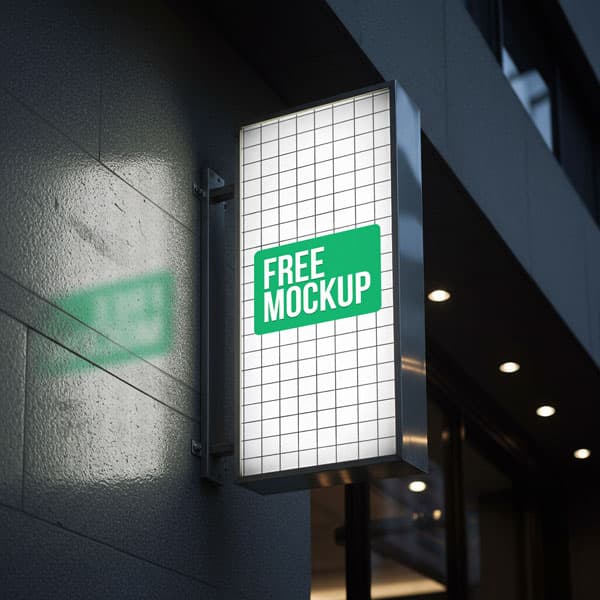
Bring your brand to life after dark. This high-end illuminated wall sign mockup features a sleek, glowing display mounted on a modern dark facade—perfect for nightclub branding, upscale restaurants, and luxury bar logos that need to shine in low-light environments.
Nocturnal Branding Made Simple
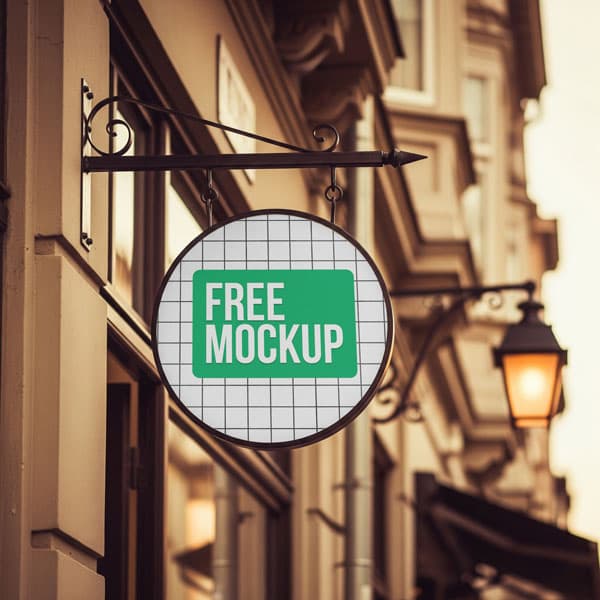
Does your brand shine when the sun goes down? This high-resolution PSD template provides a dramatic, cinematic canvas for your nocturnal branding designs. Featuring a sleek, circular backlit display, this mockup ensures your logo isn't just placed—it's illuminated. The file uses precision Smart Object layers to render your flat graphics as a realistic, glowing neon-style sign against a sophisticated dark architectural backdrop.
How to Use This PSD
Achieving a professional glow is effortless. Open the PSD in Photoshop, double-click the designated Smart Object layer, place your logo or typography, and save. The mockup automatically applies the soft light bleed, ambient reflections, and glow intensity, making your design feel like a permanent fixture on the building wall.
Best Use Cases
Perfect for nightlife and bar branding, modern restaurant identity design, luxury boutique signage, and architectural branding pitches.
How to Use This Signboards
Follow these 4 simple steps to place your design on this mockup in Adobe Photoshop CS6+:
- 1Download the PSD file — Click the Download button above. Save it to your computer.
- 2Open in Adobe Photoshop — Go to File > Open and select the PSD file.
- 3Double-click the Smart Object layer — Look for “Your Design Here” or similar. Double-click its thumbnail.
- 4Paste your design and save — Place your artwork, then press Ctrl+S (Windows) or Cmd+S (Mac). Done!
Don't Have Photoshop? We'll Place Your Design For You — Starting at $5
No Photoshop? No problem. Send us your design and we'll place it into this mockup for you. You get a finished, ready-to-use image — delivered within 24–48 hours.
No Photoshop Needed
Just send us your design file (PNG, JPG, AI, or PDF) and we'll do the rest. You get a polished mockup image back.
Fast Delivery
Most orders are done within a few hours. Need it urgent? Let us know and we'll prioritize yours.
Bulk Orders Welcome
Need 10, 20, or 50 designs placed into the same mockup? We offer discounted rates for bulk orders.
Starting at $5 per design • Bulk pricing available • Delivery in 24–48 hours
Why Use This Signboards?
Here is why designers and brands choose this mockup:
- Test glowing visibility — Check exactly how your typography and brand colors perform when backlit and glowing against a dark outdoor surface.
- Professional night-time aesthetic — Avoid the logistical nightmare of shooting your own nocturnal photography and use this premium, ready-to-render template instead.
- Accurate light reflections — The PSD automatically maps your design and casts realistic ambient light onto the surrounding wall, providing 100% photorealism.
- Impress high-end clients — Hospitality owners love seeing their brand 'live.' Help them visualize their signage shining above their entrance long before it's installed.
- Zero learning curve — Even if you're new to Photoshop, this template makes creating professional night-time visuals accessible in minutes.
Frequently Asked Questions
Is this illuminated wall sign mockup free to use?
Yes! This template is 100% free for both your personal branding experiments and commercial client presentations.
What software do I need to open this file?
Because this mockup uses advanced light-blending smart objects, you will need Adobe Photoshop CS6 or any newer Creative Cloud version.
How do I add my logo to the glowing sign?
Open the PSD, find the 'Smart Object' layer, double-click to open, paste your design in the new window, and save.
Can you handle the branding design placement for me?
Yes. If you need help with placement or don't have Photoshop, I offer a professional mockup insertion service starting at $5. Contact me on WhatsApp!
Is this mockup suitable for modern bar and restaurant brands?
Absolutely. It’s specifically crafted for hospitality brands that want to demonstrate a modern, upscale, and 'after-hours' brand identity.
Need a Custom Mockup for Your Own Product?
Send us your product photo and we will convert it into a fully editable PSD mockup with smart object layers — starting at just $15. Delivered in 24–48 hours with unlimited revisions.
Get a Custom Mockup — From $15