Free Hardcover Book On Table Mockup PSD
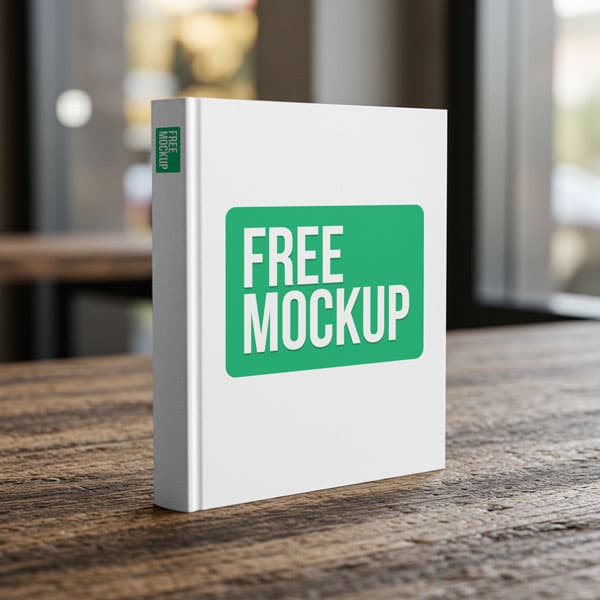
What's Inside This PSD File
- Wooden Table Setting — Organic & Tactile Context
- Professional PSD File — Fully Organized Layers
- Smart Object Enabled — 1-Click Design Swap
- High Resolution — 300 DPI Print & Web Quality
- Modern Square Format — Ideal for Portfolios & Art Books
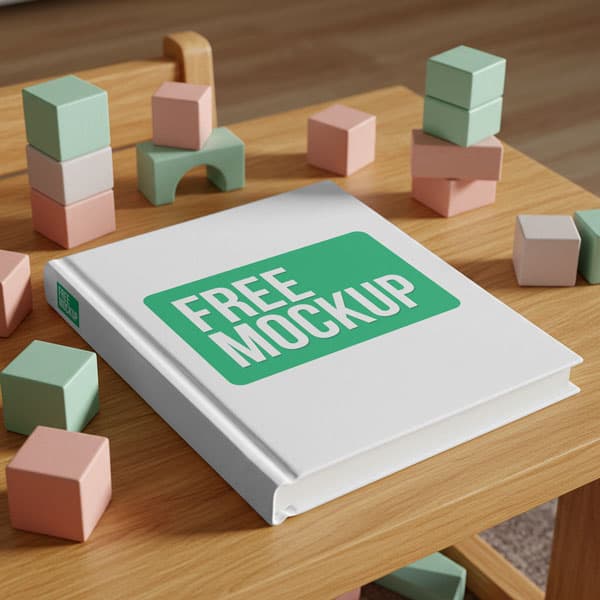
Present your publications with professional elegance. This high-resolution hardcover book mockup features a clean, square-format design resting on a realistic wooden surface. Perfect for authors, illustrators, and publishing designers.
Professional Presentation for Authors
Your book cover is the first thing a reader sees—make it count. This premium PSD mockup provides a grounding, organic, and tactile 3D environment for your cover art. Whether you are showcasing a photography portfolio, an art catalog, or a modern novel cover, this square-format layout ensures your design stands out with authentic realism.
How to Use This PSD
Designed for ease of use, our mockup relies on a precision-mapped Smart Object layer. Simply open the file in Photoshop, double-click the Smart Object thumbnail, place your custom cover artwork into the canvas, and save. The mockup will automatically map your design to the hardcover surface, complete with realistic depth and natural shadows.
Best Use Cases
Ideal for book cover design portfolios, self-publishing marketing, artistic catalog presentations, illustration showcases, and e-commerce book listings.
How to Use This Book Mockups
Follow these 4 simple steps to place your design on this mockup in Adobe Photoshop CS6+:
- 1Download the PSD file — Click the Download button above. Save it to your computer.
- 2Open in Adobe Photoshop — Go to File > Open and select the PSD file.
- 3Double-click the Smart Object layer — Look for “Your Design Here” or similar. Double-click its thumbnail.
- 4Paste your design and save — Place your artwork, then press Ctrl+S (Windows) or Cmd+S (Mac). Done!
Don't Have Photoshop? We'll Place Your Design For You — Starting at $5
No Photoshop? No problem. Send us your design and we'll place it into this mockup for you. You get a finished, ready-to-use image — delivered within 24–48 hours.
No Photoshop Needed
Just send us your design file (PNG, JPG, AI, or PDF) and we'll do the rest. You get a polished mockup image back.
Fast Delivery
Most orders are done within a few hours. Need it urgent? Let us know and we'll prioritize yours.
Bulk Orders Welcome
Need 10, 20, or 50 designs placed into the same mockup? We offer discounted rates for bulk orders.
Starting at $5 per design • Bulk pricing available • Delivery in 24–48 hours
Why Use This Book Mockups?
Here is why designers and brands choose this mockup:
- Grounding organic presentation — The textured wooden table surface gives your book design an authentic, physical appearance that a flat digital file cannot match.
- Cost-effective marketing — Skip the expensive process of printing physical proof copies just for marketing photography; get a photorealistic result instantly.
- Accurate hardcover textures — The PSD layer intelligently wraps your artwork, providing a premium, heavy-weight look that suggests a high-quality finished product.
- Showcase modern layouts — The square format is a highly sought-after layout for modern photography portfolios, art catalogs, and unique children's books.
- Sharp, professional clarity — High-resolution output ensures your fine typography and complex illustrations remain perfectly crisp, even on large displays.
Frequently Asked Questions
Is this hardcover book mockup free to use?
Yes! This mockup is 100% free for use in both your personal design portfolios and commercial publishing projects.
What software do I need to open this?
Because this template uses smart object layers for professional warping, you will need Adobe Photoshop CS6 or any recent Creative Cloud version.
How do I add my cover design?
Open the PSD in Photoshop, double-click the Smart Object layer, paste your design into the new tab, save, and close.
Can you help with design placement?
Yes. If you need help with cover placement or don't have Photoshop, I offer a professional mockup insertion service starting at $5. Contact me on WhatsApp!
Is this mockup suitable for e-commerce listings?
Absolutely. It’s perfect for creating professional, high-converting product photography for Amazon, Etsy, or your own author website.
Need a Custom Mockup for Your Own Product?
Send us your product photo and we will convert it into a fully editable PSD mockup with smart object layers — starting at just $15. Delivered in 24–48 hours with unlimited revisions.
Get a Custom Mockup — From $15