Free Hanging Storefront Sign Mockup PSD
What's Inside This PSD File
- Professional Shop Setting — Ideal for Retail & Boutiques
- Professional PSD File — Fully Organized Layers
- Smart Object Enabled — 1-Click Design Swap
- High Resolution — 300 DPI Print & Digital Quality
- Hanging Detail — Authentic Outdoor Textures
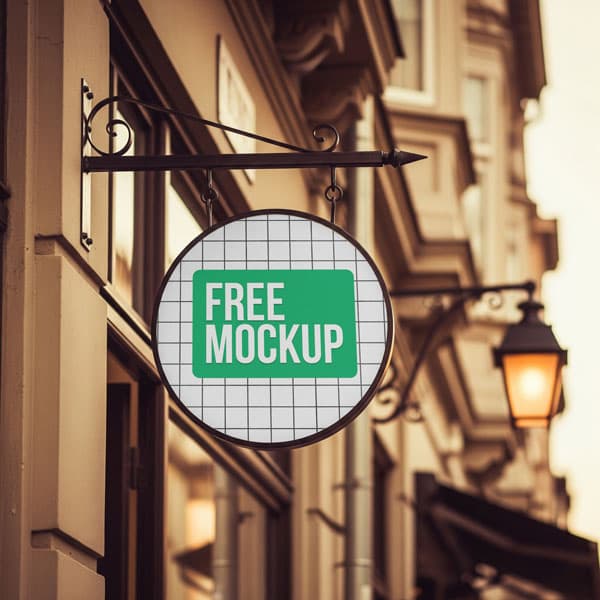
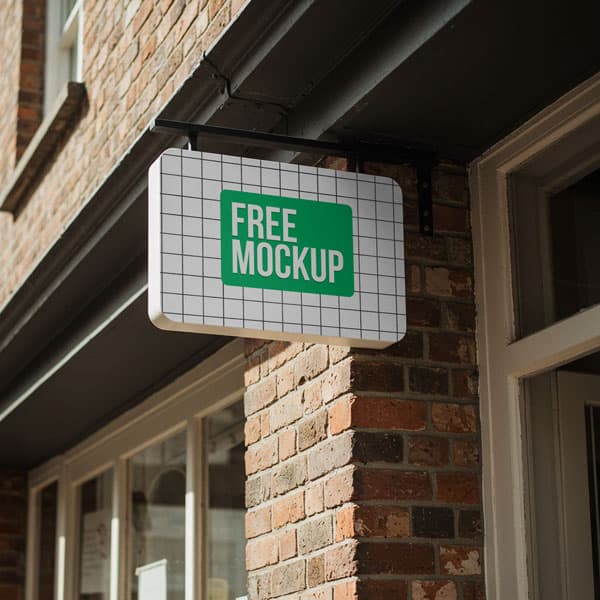
Elevate your retail branding with this elegant hanging storefront sign mockup. Featuring a sophisticated outdoor street aesthetic, this PSD template is the perfect tool for boutiques, cafes, and restaurants looking to visualize their logo on a premium physical sign.
Bring Your Brand to the Street
A professional storefront sign is the first impression a customer has of a brand. This high-resolution PSD template provides a sophisticated, classic, and elegant canvas for your logo. By utilizing our precision-mapped Smart Object layer, you can effortlessly swap the blank signage for your custom branding, instantly generating a photorealistic presentation that captures the texture, lighting, and architectural depth of an upscale street corner.
How to Use This PSD
Designed for branding agencies and freelance designers, this mockup is ready to use in seconds. Simply open the file in Photoshop, double-click the designated Smart Object layer, place your logo or typography, and save. The mockup automatically applies realistic outdoor lighting, metallic textures, and architectural shadows to your design.
Best Use Cases
Perfect for boutique retail branding, cafe and restaurant signage, independent shop identity design, and high-end commercial branding pitches.
How to Use This Signboards
Follow these 4 simple steps to place your design on this mockup in Adobe Photoshop CS6+:
- 1Download the PSD file — Click the Download button above. Save it to your computer.
- 2Open in Adobe Photoshop — Go to File > Open and select the PSD file.
- 3Double-click the Smart Object layer — Look for “Your Design Here” or similar. Double-click its thumbnail.
- 4Paste your design and save — Place your artwork, then press Ctrl+S (Windows) or Cmd+S (Mac). Done!
Don't Have Photoshop? We'll Place Your Design For You — Starting at $5
No Photoshop? No problem. Send us your design and we'll place it into this mockup for you. You get a finished, ready-to-use image — delivered within 24–48 hours.
No Photoshop Needed
Just send us your design file (PNG, JPG, AI, or PDF) and we'll do the rest. You get a polished mockup image back.
Fast Delivery
Most orders are done within a few hours. Need it urgent? Let us know and we'll prioritize yours.
Bulk Orders Welcome
Need 10, 20, or 50 designs placed into the same mockup? We offer discounted rates for bulk orders.
Starting at $5 per design • Bulk pricing available • Delivery in 24–48 hours
Why Use This Signboards?
Here is why designers and brands choose this mockup:
- Elevate retail identity — Present your logo design on a classic physical fixture that communicates professionalism and builds immediate brand trust.
- Save on location costs — Achieve a premium street-corner aesthetic without the need for location scouting or expensive architectural photography.
- Authentic outdoor textures — The PSD is mapped to capture genuine light reflections and metallic textures, ensuring your digital design looks like a real-world object.
- Impress commercial clients — Help your clients visualize their new identity hanging above their front door, making your branding pitches significantly more persuasive.
- Professional-grade clarity — High-resolution output ensures your typography and delicate brand details remain sharp even when displayed at large scales.
Frequently Asked Questions
Is this hanging storefront mockup free to use?
Yes! This template is 100% free for use in both personal branding projects and commercial client work.
What software do I need to open this?
Because this file uses advanced smart object mapping, you will need Adobe Photoshop CS6 or any recent Creative Cloud version.
Can you design or place my shop logo for me?
Yes. If you need help with design placement or lack Photoshop access, I offer a professional mockup insertion service starting at $5. Contact me on WhatsApp!
How do I add my design to the sign?
Open the PSD, double-click the layer marked 'Smart Object,' paste your artwork in the new window, and save the file.
Is this mockup suitable for high-end boutique brands?
Absolutely. Its clean and elegant aesthetic makes it the perfect fit for upscale cafes, boutiques, and luxury commercial signage.
Need a Custom Mockup for Your Own Product?
Send us your product photo and we will convert it into a fully editable PSD mockup with smart object layers — starting at just $15. Delivered in 24–48 hours with unlimited revisions.
Get a Custom Mockup — From $15