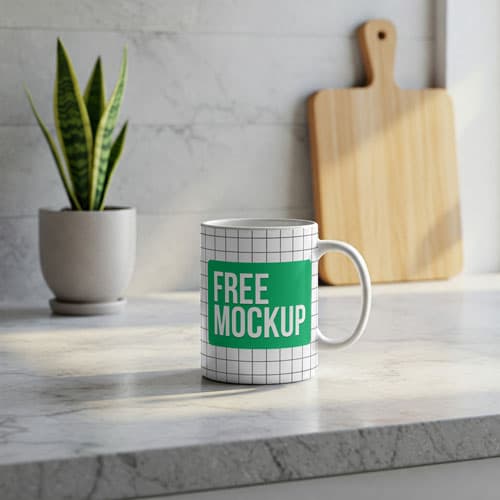
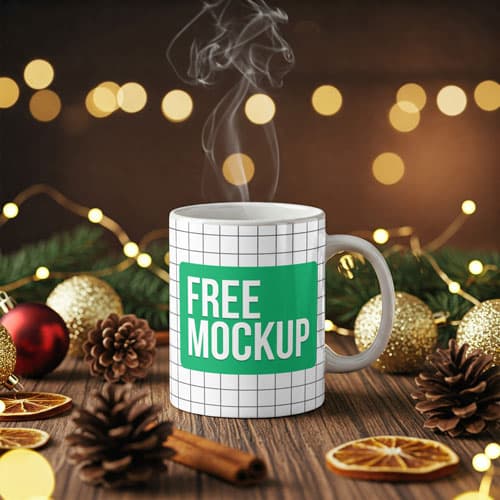
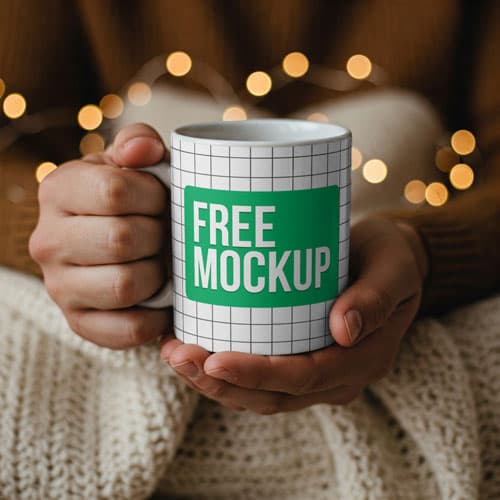
Free Hand Holding Mug Mockup PSD
What's Inside This PSD File
- Realistic Context — Professional Human Grip
- Professional PSD File — Fully Layered
- Smart Object Enabled — 1-Click Design Swap
- High Resolution — 300 DPI Print & Digital Ready
- Ceramic Texture — Authentic Cafe Aesthetic
Bring your cafe branding to life with this humanized mug mockup. Featuring a realistic hand-held grip, this PSD template is the perfect tool for coffee shops, hospitality brands, and beverage companies looking to showcase their logo designs in a relatable, lifestyle-driven context.
Humanize Your Brand Presentation
Static product shots are good, but lifestyle shots are better. By placing your branding in a realistic, hand-held context, you bridge the gap between a design file and a real-world product. This high-resolution PSD template is specifically designed to add a warm, tactile feel to your hospitality branding, making your designs feel more approachable and commercially ready.
How to Use This PSD
Creating professional-grade branding mockups has never been easier. Simply open the PSD in Photoshop, double-click the Smart Object layer, place your cafe logo or beverage artwork into the canvas, and save. The mockup automatically wraps your design around the ceramic surface, complete with realistic depth, lighting, and shadows.
Best Use Cases
Perfect for coffee shop branding, hospitality merchandise, beverage startup pitches, Etsy cafe shops, and social media brand storytelling.
How to Use This Mug Mockup
Follow these 4 simple steps to place your design on this mockup in Adobe Photoshop CS6+:
- 1Download the PSD file — Click the Download button above. Save it to your computer.
- 2Open in Adobe Photoshop — Go to File > Open and select the PSD file.
- 3Double-click the Smart Object layer — Look for “Your Design Here” or similar. Double-click its thumbnail.
- 4Paste your design and save — Place your artwork, then press Ctrl+S (Windows) or Cmd+S (Mac). Done!
Don't Have Photoshop? We'll Place Your Design For You — Starting at $5
No Photoshop? No problem. Send us your design and we'll place it into this mockup for you. You get a finished, ready-to-use image — delivered within 24–48 hours.
No Photoshop Needed
Just send us your design file (PNG, JPG, AI, or PDF) and we'll do the rest. You get a polished mockup image back.
Fast Delivery
Most orders are done within a few hours. Need it urgent? Let us know and we'll prioritize yours.
Bulk Orders Welcome
Need 10, 20, or 50 designs placed into the same mockup? We offer discounted rates for bulk orders.
Starting at $5 per design • Bulk pricing available • Delivery in 24–48 hours
Why Use This Mug Mockup?
Here is why designers and brands choose this mockup:
- Demonstrate real-world scale — A mug held in a real hand provides instant visual context, showing your buyers exactly how large and legible your branding appears in a daily-use scenario.
- Add a relatable human element — The physical interaction makes your cafe branding feel far more engaging, cozy, and trustworthy compared to standard flat-lay photos.
- Save time and production costs — Skip the expensive process of printing custom prototypes, hiring hand models, and booking professional product photographers.
- Accurate ceramic warping — The PSD file realistically maps your flat artwork around the cylindrical mug surface, including authentic shadows under the fingers.
- Zero learning curve — Designed for efficiency, even Photoshop beginners can paste their cafe branding and export an extraordinary product pitch in minutes.
Frequently Asked Questions
Is this hand-held mug mockup completely free?
Yes! This template is 100% free for use in your personal design portfolio and commercial branding pitches.
How do I insert my own logo onto the mug?
Open the PSD in Photoshop, double-click the layer marked 'Smart Object,' paste your logo into the new tab, save, and close.
Do you offer professional mockup insertion services?
Yes. If you don't have Photoshop or need a professional layout, we offer an affordable insertion service starting at $5. Contact me via WhatsApp!
What is the resolution of this mockup?
It is provided in exceptionally high resolution, ensuring your cafe logos and fine typography remain sharp and clear on the ceramic surface.
What version of Photoshop do I need?
This template works flawlessly with Adobe Photoshop CS6 and all newer Creative Cloud versions.
Need a Custom Mockup for Your Own Product?
Send us your product photo and we will convert it into a fully editable PSD mockup with smart object layers — starting at just $15. Delivered in 24–48 hours with unlimited revisions.
Get a Custom Mockup — From $15