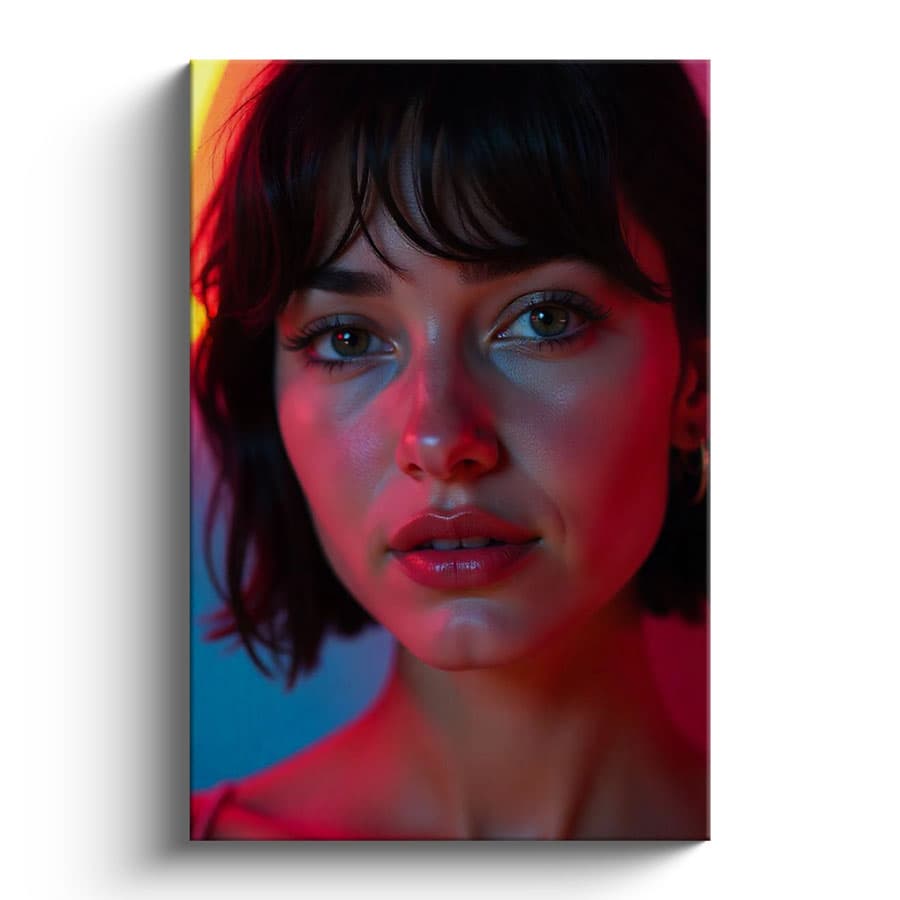
Free Minimalist Vertical Canvas Mockup PSD
What's Inside This PSD File
- Minimalist Interior — Clean, Modern & Elegant
- Professional PSD File — Fully Organized Layers
- Smart Object Enabled — Instant 1-Click Design Swap
- High Resolution — 300 DPI Print & Digital Quality
- Vertical Format — Perfect for Portraits & Posters
Elevate your art prints with professional-grade staging. This free minimalist vertical canvas mockup features a clean, gallery-like interior setting, making it the perfect choice for showcasing portrait photography, posters, and fine art.
Gallery-Grade Presentation for Your Art
Your artwork deserves a professional stage. This high-resolution PSD template provides a sophisticated, uncluttered environment that lets your photography and illustrations shine. Designed specifically for portrait-oriented art, the mockup uses a precision-mapped Smart Object layer to seamlessly integrate your design, complete with realistic wall shadows and canvas texture, creating a look that is indistinguishable from a professional gallery shoot.
How to Use This PSD
We've stripped away the complexity so you can focus on your art. Open the file in Adobe Photoshop, locate the Smart Object layer, double-click to open, paste your high-resolution artwork into the canvas, and save. The mockup automatically applies subtle depth and lighting, turning your flat file into a polished, wall-ready display in seconds.
Best Use Cases
Perfect for fine art photography portfolios, poster design showcases, interior design brand pitches, art print e-commerce listings, and modern minimalist home decor marketing.
How to Use This Wall Canvases
Follow these 4 simple steps to place your design on this mockup in Adobe Photoshop CS6+:
- 1Download the PSD file — Click the Download button above. Save it to your computer.
- 2Open in Adobe Photoshop — Go to File > Open and select the PSD file.
- 3Double-click the Smart Object layer — Look for “Your Design Here” or similar. Double-click its thumbnail.
- 4Paste your design and save — Place your artwork, then press Ctrl+S (Windows) or Cmd+S (Mac). Done!
Don't Have Photoshop? We'll Place Your Design For You — Starting at $5
No Photoshop? No problem. Send us your design and we'll place it into this mockup for you. You get a finished, ready-to-use image — delivered within 24–48 hours.
No Photoshop Needed
Just send us your design file (PNG, JPG, AI, or PDF) and we'll do the rest. You get a polished mockup image back.
Fast Delivery
Most orders are done within a few hours. Need it urgent? Let us know and we'll prioritize yours.
Bulk Orders Welcome
Need 10, 20, or 50 designs placed into the same mockup? We offer discounted rates for bulk orders.
Starting at $5 per design • Bulk pricing available • Delivery in 24–48 hours
Why Use This Wall Canvases?
Here is why designers and brands choose this mockup:
- Gallery-grade visual authority — Presenting your work in a curated, modern interior context instantly signals premium value to high-end art buyers and interior decorators.
- Save on professional staging — Avoid the logistics of renting studio space or hiring interior stylists; get studio-quality exhibition mockups instantly.
- Realistic canvas texture — The PSD file maps your artwork over subtle canvas grain and stretcher-bar shadows, providing an authentic 3D appearance.
- Impress design-conscious clients — Help home decorators and art buyers visualize exactly how your print will look hanging in a contemporary space, making your pitch more persuasive.
- Professional-grade clarity — High-resolution rendering ensures your brush strokes, photographic sharpness, and fine typography remain perfectly crisp on any display.
Frequently Asked Questions
Is this vertical canvas mockup free?
Yes! This template is 100% free for use in both your personal art portfolios and professional commercial presentations.
What software do I need to open this file?
Because this file uses professional smart object mapping, you will need Adobe Photoshop CS6 or any recent Creative Cloud version.
How do I insert my own poster design?
Open the PSD, find the 'Smart Object' layer, double-click to open, paste your artwork in the new window, and save.
Can you help with professional art placement?
Yes. If you need help with placement or don't have Photoshop access, I offer a professional mockup insertion service starting at $5. Contact me on WhatsApp!
Is this mockup suitable for e-commerce art stores?
Absolutely. It’s the perfect choice for creating professional, high-converting product photography for art print stores and interior design websites.
Need a Custom Mockup for Your Own Product?
Send us your product photo and we will convert it into a fully editable PSD mockup with smart object layers — starting at just $15. Delivered in 24–48 hours with unlimited revisions.
Get a Custom Mockup — From $15